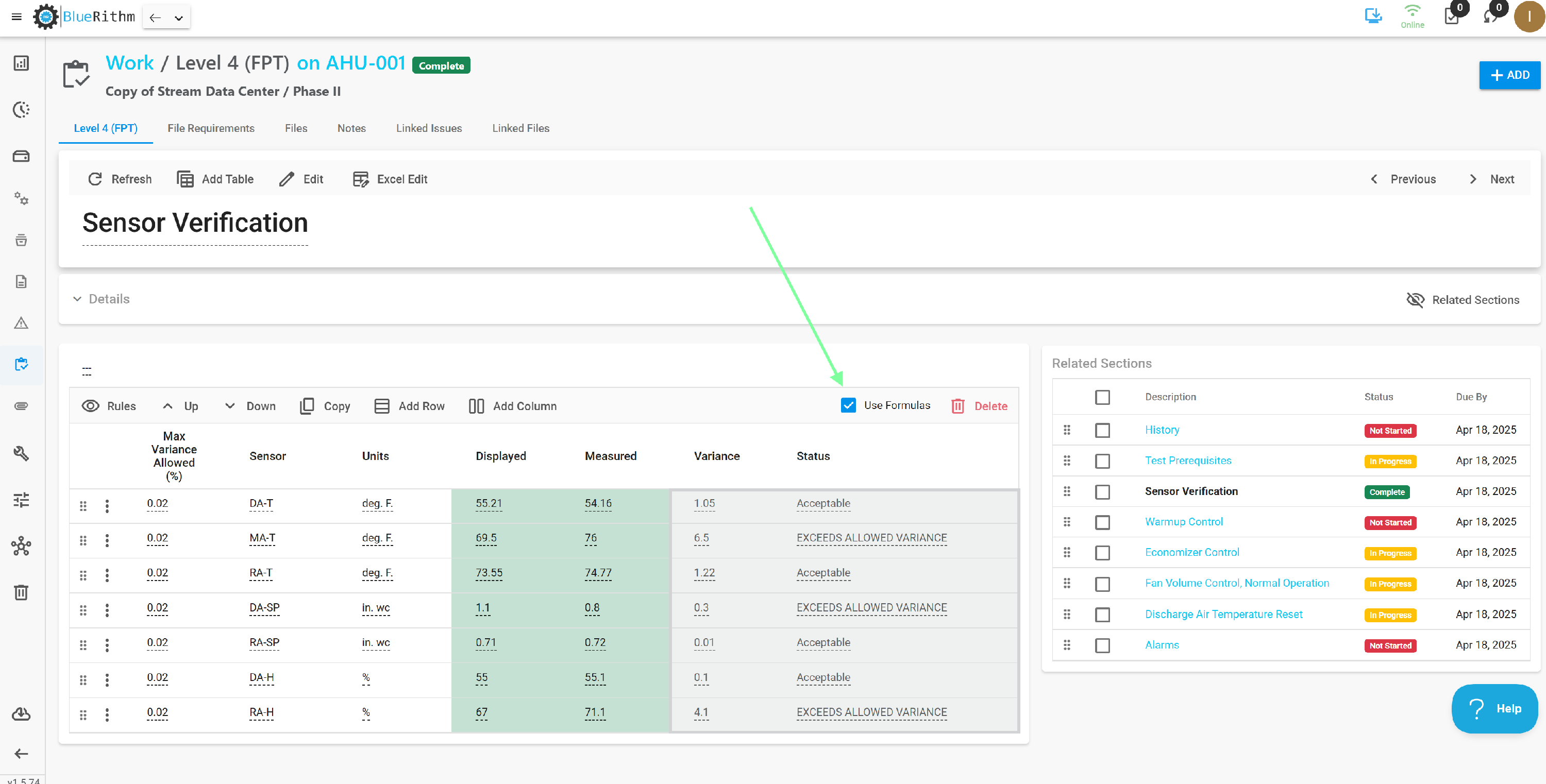
How do I use the Use Formulas checkbox on work tables?
Use the new Bluerithm app at app.bluerithm.com. Sign in with the same login you already use.
The Use Formulas checkbox sits on each work table — including tables on equipment-type work templates. Checking it lets that table embed Excel formulas from an uploaded worksheet. Formula cells show light gray shading.
- Open the work item, or the work template on the equipment type.
- Find the table. On that table's toolbar (right side), check Use Formulas.
- On a work item, use Excel Edit on the section toolbar to open the table as a worksheet. You can also upload a matching Excel file to the table.
- In Excel, add formulas the same way you normally would —
=SUM,=COUNTIF, cell references, and so on. Keep every formula inside that one table. Formulas do not work across tables. - Upload the worksheet back to the same table.
- Cells that contain formulas appear with light gray shading in Bluerithm.
Related: Formulas, Work Tables.