
How do I see what changed on a checklist, issue or equipment, and who changed it?
Every checklist, test form, issue and piece of equipment in the new Bluerithm (app.bluerithm.com) has a History: a list of every change, newest first, with what changed, the old and new value, who made the change and when.
- On a checklist, test form or issue, click History in the toolbar at the top of the page.
- On a piece of equipment, click History at the top of its first tab (the tab with the equipment's name).
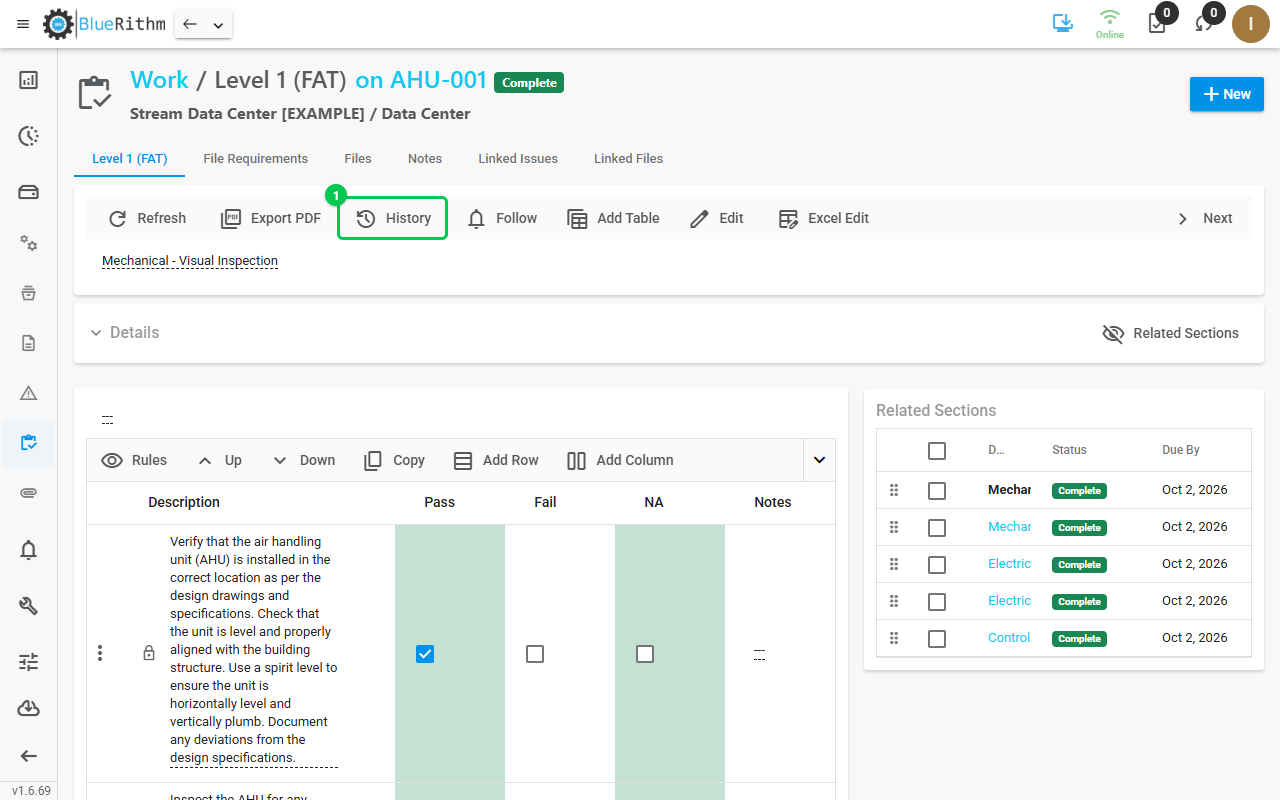
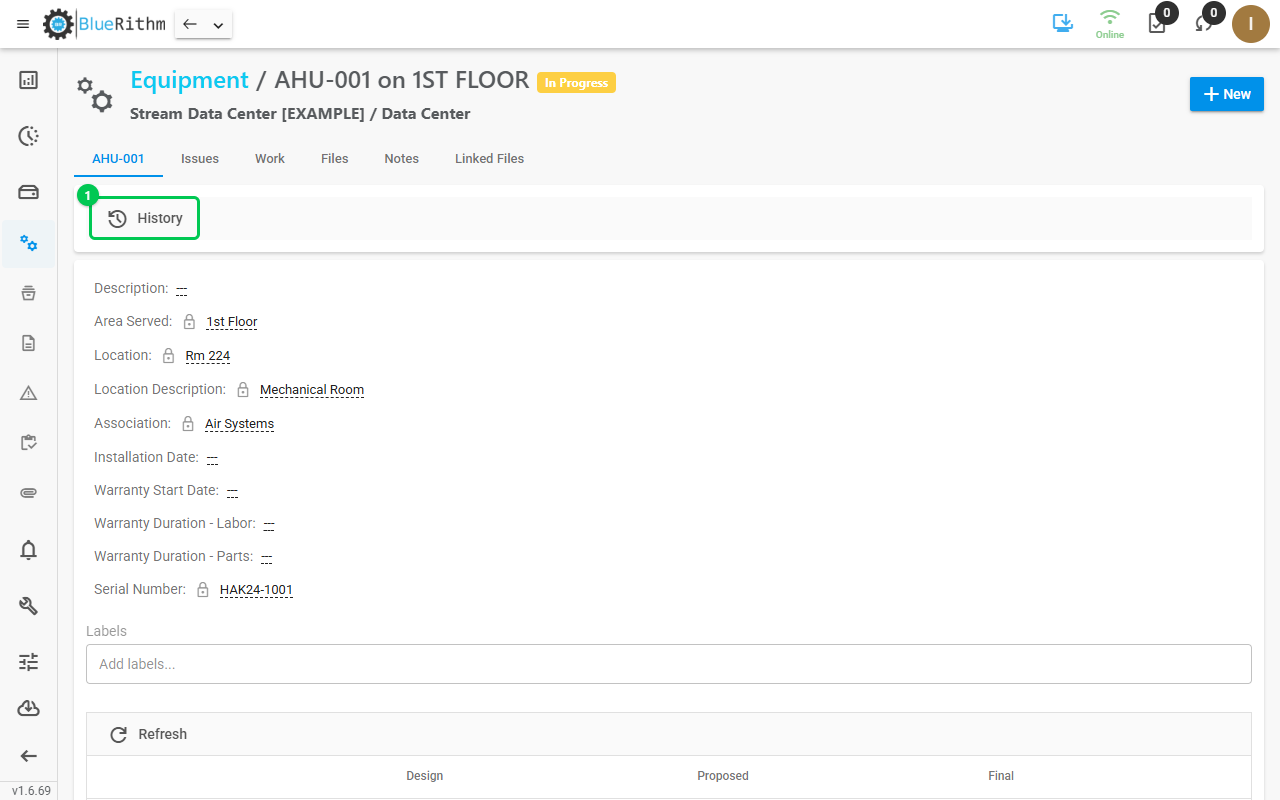
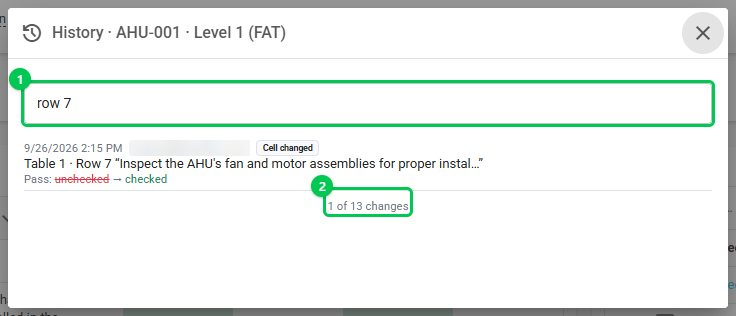
Each entry shows the date and time, who made the change and the kind of change. The old value is crossed out in red next to the new value in green.
- Checklists and test forms: their own fields (status, assignee, due date and so on), every table cell change located by table, row and column, rows added and removed, renamed tables, and notes and files.
- Issues: changes to the issue's fields, its notes and its files.
- Equipment: its fields and its custom properties, with the Design, Proposed and Final values.
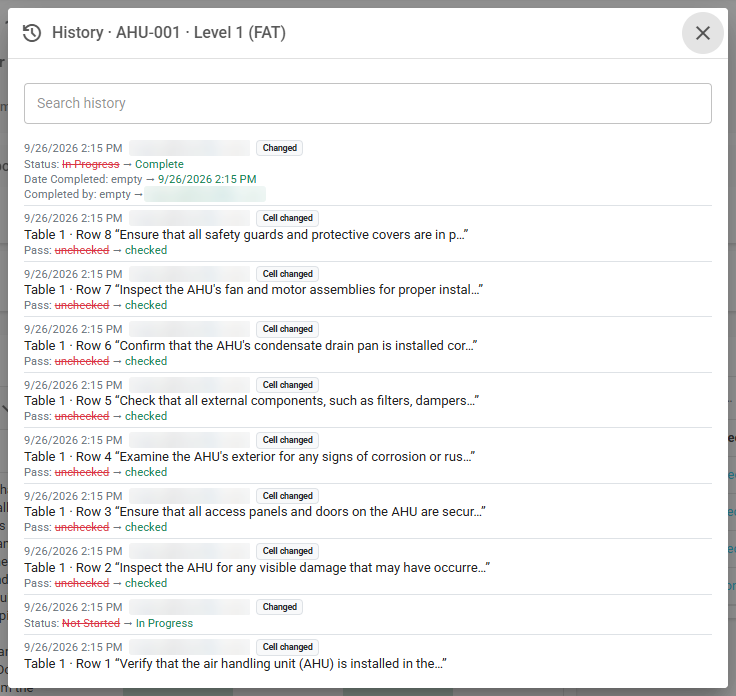
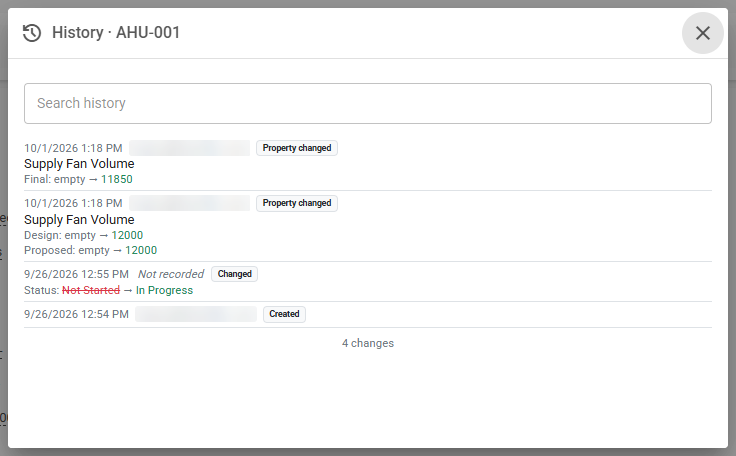
To find a particular change, type in Search history, for example a row number, a column name or a person's email. The count under the list shows how many changes match.
Not recorded in place of a name means Bluerithm has no record of who made that change. You will see it on automatic updates, such as an equipment status that follows its work, and on equipment changes saved before September 30, 2026 or in the older web app.
Good to know:
- Anyone who can open the checklist, issue or equipment can see its history.
- History needs a connection: the button is unavailable while you are offline and in projects you have downloaded. Changes made offline appear after they sync.
- AI assistants connected through the Bluerithm MCP server can read the same history.
- The older web app (trac.bluerithm.com) keeps its own Show History pages.