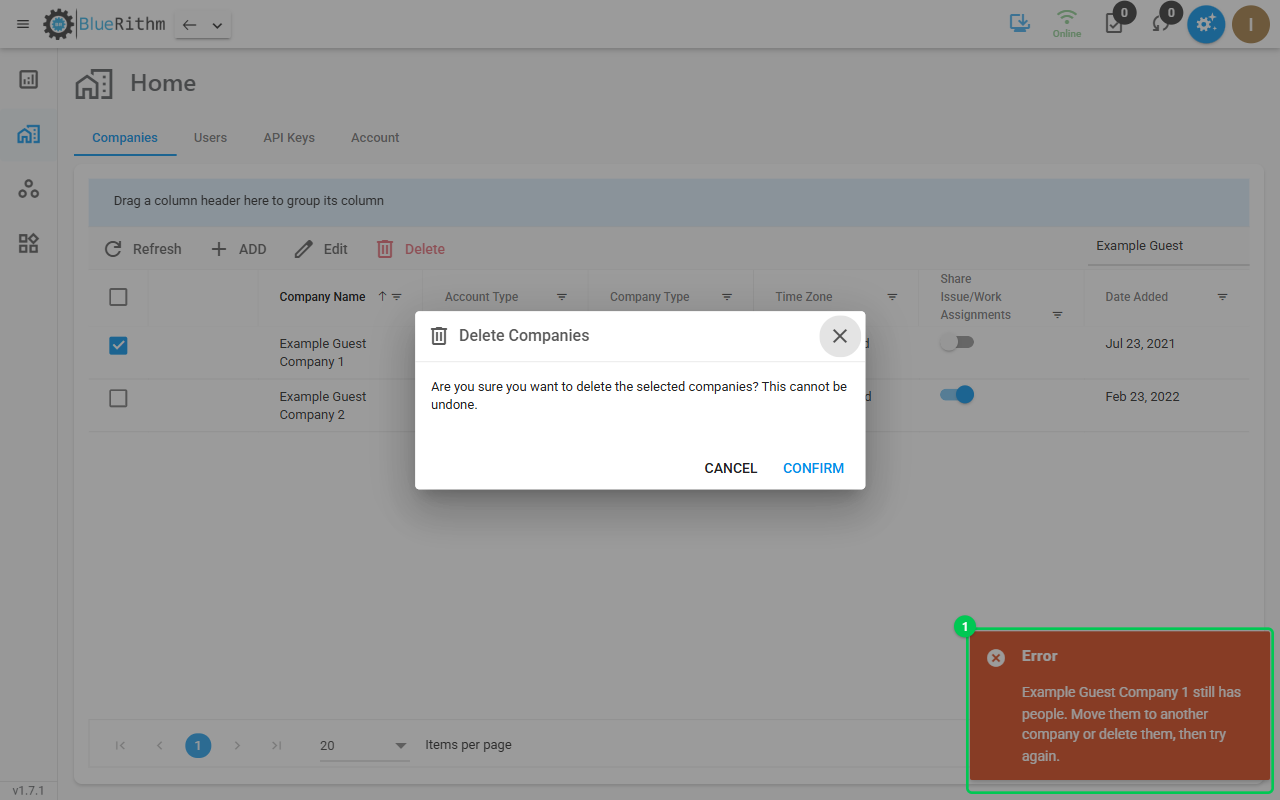
How do I delete a company from my account?
Account Admins can delete a company from the account in the new Bluerithm (app.bluerithm.com), for example a subcontractor you no longer work with or a duplicate. Deleting is permanent.
Delete a company
- Open Home. The Companies tab opens first.
- Tick the company you want to delete.
- Select Delete, then Confirm.
What can stop the delete
If something is in the way, nothing is deleted and the message names it:
- The company still has people. Move them to another company (edit them on the Users tab and change Company), or delete them first.
- The company owns a project or template. Change the company of each one with Edit on the Projects or Templates page, then delete the company.
- It is an Account Member company, or the account's last company. These can't be deleted.