
Why can't I start this work yet?
Your project's work order says this work's category can start only after other work is complete, and that work isn't finished yet. The work's page tells you what it is waiting for and how much of it is still open, for example:
This can start once Level 3 (PFC) is complete on AHU-001 (3 remaining) and TAB Forms is complete on AHU-001 (3 remaining). It can't start until then.
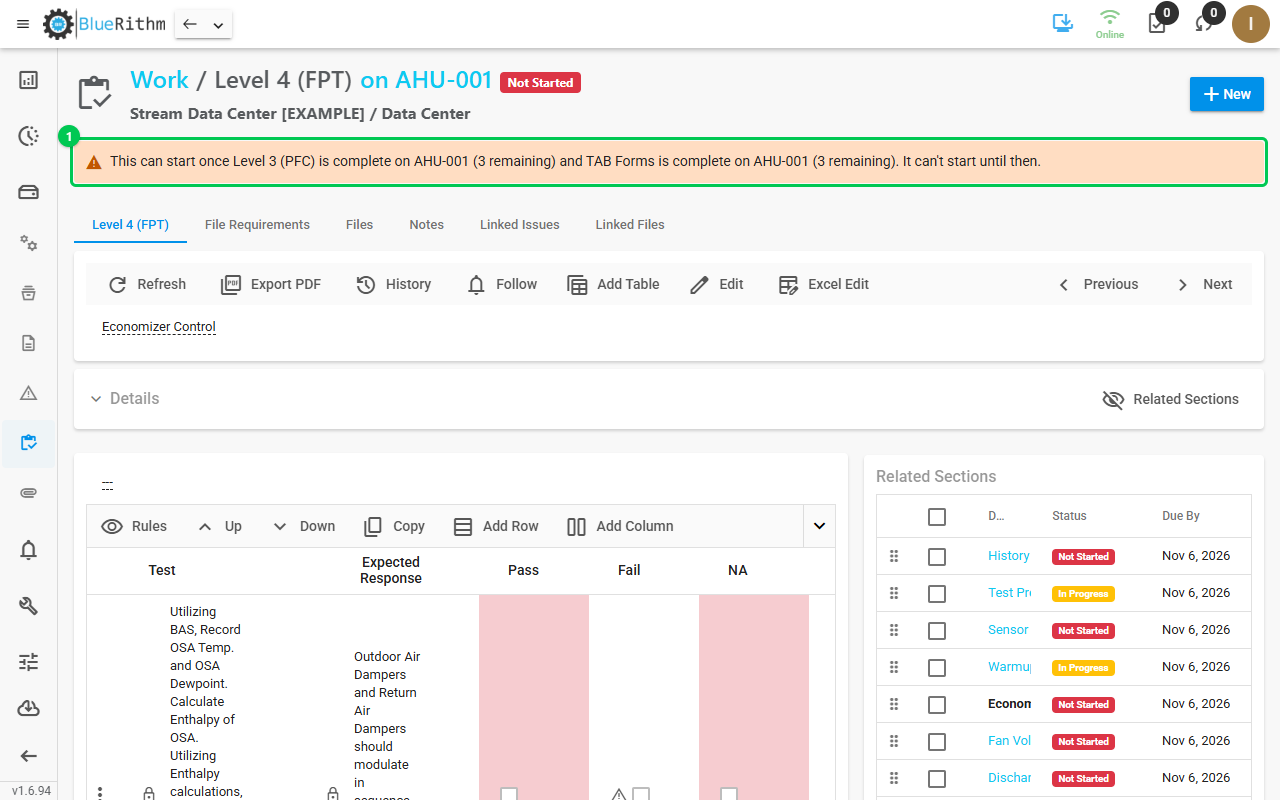
"It can't start until then"
The category's gate is set to Block:
- The table can't be filled in and required files can't be uploaded until the work it waits for is complete.
- Changing the status from Not Started is refused with the same message. When you change several pieces of work at once, Bluerithm names the ones that can't start yet and saves nothing. With Edit All, work that can't start keeps its status and your other changes are saved.
- You can still add notes and files, and change the description, assignee or due date.
Once the work it waits for is complete, the message goes away and the work can be started. If the hold doesn't fit how your team works, ask the person who set up your project whether the gate should be Warn instead.
"Starting it now is recorded as out of order"
The category's gate is set to Warn, so you can start the work. The first time you tick a cell or upload a required file on the page, or set a status, Bluerithm asks Start anyway? Click CONFIRM to go ahead, or CANCEL.
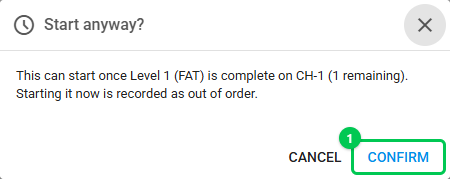
Work started this way shows "Started out of order on [date] by [name]." on its page, so the team can see it.
Offline
A downloaded project holds work back the same way while you're offline, using the work order it downloaded. If the gates change afterwards, refresh the project to pick them up. If a device's copy was out of date and let work start, the change still syncs, and the work shows "Started out of order on [date] by [name], while offline."
Good to know
- The message is on the work's own page. The Work page and the equipment's Work tab don't mark waiting work.
- Work only waits on projects whose account has the legacy web app turned off.
- Setting it up: How do I make work wait for other work to finish?